Restock Hunting: From a Discord Alert to a Completed Order
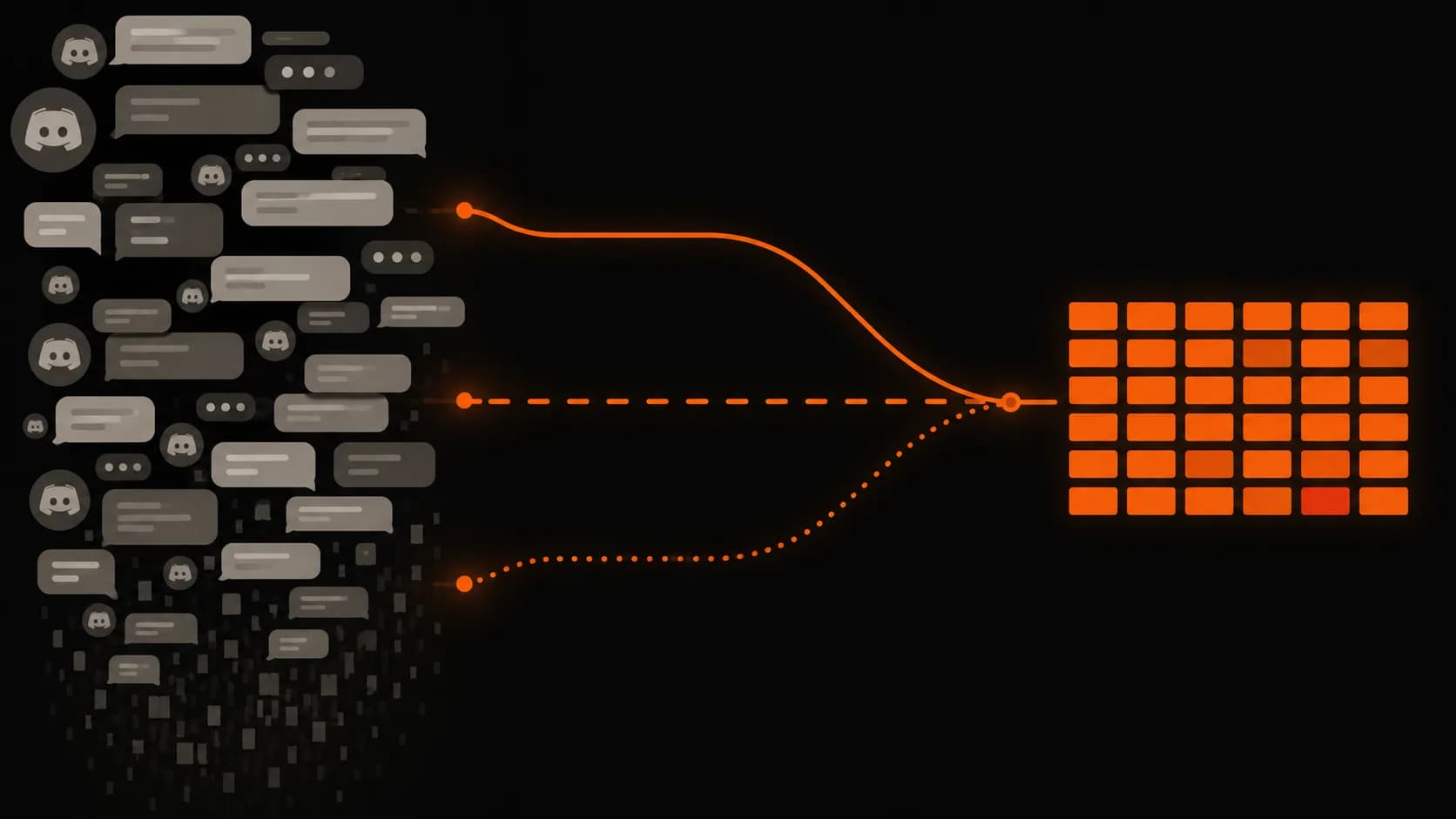
During COVID shortages I built a chain of small tools: read deals posted in a Discord channel, locate what I wanted, open only those links automatically, and let a browser script check out if the price was right.
- Status
- Completed
- Timeline
- Aug 2021
- Technologies
- Python
- Selenium
- ChromeDriver
- SQLite
- discord.py
- PyYAML
- JavaScript
- TamperMonkey
- Regex
The problem
In 2021, I wanted to build a new PC, which turned out to be terrible timing. COVID-era supply shortages had made graphics cards, CPUs, and other components difficult to find, especially at reasonable prices. When desirable parts did come back in stock, they could sell out almost immediately. While searching for a better way to find them, I found Discord servers dedicated to posting restock alerts and deals. They were useful, but there was still a problem: by the time I noticed an alert, figured out whether it was something I actually wanted, opened the link, and started checking out, the item could already be gone. And watching Discord constantly wasn't realistic. The channels were busy, most of the alerts weren't relevant to the PC I was trying to build, and getting a part often came down to being there at exactly the right moment. So I started looking for ways to remove myself from the slow parts of the process.
Approach
I broke the problem into a few smaller pieces and automated them one at a time. The first step was figuring out what the Discord servers were actually posting. I exported channel history and built a Python script to scan it for product identifiers, remove duplicates, and save the results to a CSV. That gave me a dataset I could work with instead of manually scrolling through thousands of old alerts. From there, I built a second tool to turn those identifiers into useful information. It looked up each product, collected its name and category, and stored the results in a local SQLite database. That let me filter the history down to the specific types of components I was interested in rather than treating every alert equally. Once I knew what I wanted to target, I moved from analyzing old messages to watching new ones. I built a Discord watcher that monitored selected channels and compared incoming alerts against a configurable allowlist. If a matching product appeared, it automatically opened the listing in my browser. Everything else was ignored. The last step was checkout. I wrote a Tampermonkey userscript that took over once the product page opened and completed the purchase automatically, but only if the listing matched a product I had approved, the price was below a limit I had set, and an order had not already been placed. Together, those tools turned the process into a pipeline: extract the data, identify the products I cared about, react to matching alerts, and automate checkout.
Outcome
The end result was a system I could leave running instead of constantly watching Discord and hoping I noticed the right alert in time. The historical analysis pulled 7,186 unique product identifiers from the exported channel data. Of those, 6,556 were enriched with a full category path, while the remaining 630 still had enough information to keep as partial records. That gave me a structured dataset I could sort and filter down to the components I actually cared about. Once those targets were defined, the live automation handled the time-sensitive part. Relevant alerts could be identified and opened immediately, while everything else was ignored. From there, the Tampermonkey script could complete checkout automatically as long as the product and price matched the rules I had already set. The biggest improvement wasn't any single script. It was removing human reaction time from the process. Instead of needing to monitor Discord at exactly the right moment, I could decide what I wanted ahead of time and let the tools handle the repetitive steps between an alert appearing and an order being placed. The project also ended up being a useful lesson in building automation incrementally. Each stage solved one bottleneck and exposed the next, eventually turning what started as a simple attempt to find PC parts into a complete data extraction and purchasing pipeline.
Stage One: Exporting the Discord History
Before I could analyze anything, I needed the channel history somewhere I could work on it locally, repeatedly, without asking Discord for it again every time.
Scraping what was on screen in the client was never going to work. The useful content sits inside embeds, the client only renders what you have scrolled to, and the markup is built for human eyes rather than for parsers. So the exporter authenticated directly using my existing user session token, took the channel IDs I cared about, and walked each channel's history backward until there was nothing older left.
Discord returns messages newest-first, capped at 100 per request. The cursor for the next page is therefore the oldest message in the batch you just received, not the newest:
params = {"limit": 100}
if before:
    params["before"] = before

batch = response.json()
messages.extend(batch)

before = batch[-1]["id"]   # oldest in this batch, not batch[0]
Get that the wrong way round and you either page forward into nothing, or loop over the same hundred messages indefinitely.
The other thing a full history walk runs into immediately is rate limiting:
if response.status_code == 429:
    time.sleep(response.json()["retry_after"])
    continue   # `before` is unchanged, so this retries the same page
That is not defensive padding. Walking months of history means hitting 429s constantly, and a real share of the runtime was the script sitting still, waiting out retry_after. It is the part nobody mentions about scraping at any depth: most of it is waiting politely.
With the messages collected, I rendered only what later stages needed into a flat HTML file. No avatars, no styling, nothing reconstructing the client. Just the message text, a timestamp, and the embed URLs, which is where the actual payload lives:
for message in reversed(messages):          # batches arrived newest-first
    for embed in message.get("embeds", []):
        url = embed.get("url")
        if url:
            label = embed.get("description") or url
            out.write(f'<a href="{escape(url)}">{escape(label)}</a>')
Two details there earned their place. reversed() puts the archive back in chronological order, since writing it in collection order gives you a file that reads backwards. And the output needs an explicit UTF-8 charset, because Discord content is full of emoji, and anything else turns them into mojibake three stages downstream where you will misdiagnose it as a parser bug.
Saving the history locally changed the shape of everything after it. The analysis tools stopped needing a connection, stopped caring whether the original messages were still findable, and could be rerun against a dataset that no longer moved. When you are iterating on a parser, a static input is worth more than a live one.
It also split the project cleanly in two: Discord supplied the raw history; everything after that happened offline.
That file became the input to the next stage, where I stopped thinking about messages at all and started pulling the product identifiers buried inside them.
Stage Two: From an Archive to a Dataset
The archive was a single HTML file of message markup. What I actually wanted out of it was a list: every product identifier that had ever been posted, each one appearing once.
The extraction is deliberately unsophisticated. It reads the file a line at a time, matches the identifier pattern against raw text, and keeps a set of what it has already seen:
seen = set()

for line in open("archive.html", encoding="utf-8"):
    for match in ID_PATTERN.findall(line):
        if match not in seen:
            seen.add(match)
            writer.writerow([match])
No HTML parser, no selectors, no assumptions about how the document is arranged. That is the design rather than an excuse for it. I could restructure the export format completely and this would still work, because it never looked at the structure in the first place. Any cleverness I added here would only have been another thing to repair later.
The set matters more than it looks. A restock channel posts the same item over and over, which is the entire point of a restock channel, so raw matches ran far ahead of distinct products. Deduplicating at extraction time meant every later stage counted items rather than mentions.
That produced a clean column of identifiers, and a column of identifiers is not information. I could not tell you which of them were graphics cards, which were accessories, or which were things I had no interest in whatsoever. To filter by the kind of hardware I was chasing, each identifier had to become a name and a category, and the only way to get those was to load the page.
That is the expensive part: one page load per identifier, several thousand times, at whatever speed the network felt like. A run that long will be interrupted. Your machine sleeps, the connection drops, you close the wrong window. Assuming otherwise just means running it twice.
Two decisions made it restartable. The first is that a repeat insert does nothing instead of failing:
INSERT INTO listings (id, title, category)
VALUES (?, ?, ?)
ON CONFLICT(id) DO NOTHING;
The second is that the transaction commits per row rather than at the end. Together they mean a run killed at identifier 4,000 picks straight back up at 4,001, and rerunning the whole thing costs nothing but the time to skip what is already there.
The third decision was smaller and saved more time than either. Not every page carried a category, and the obvious implementation treats a missing element as an error:
try:
    category = driver.find_element(By.ID, BREADCRUMB_ID).text
except NoSuchElementException:
    category = None    # keep the row, lose the field
Catching that and writing the row anyway is the difference between a dataset and a stack trace. 630 records came back with a name but no category. Under a stricter design the first of those would have killed the run, and I would have gone looking for a parsing bug that was not there.
The final numbers: 7,186 unique identifiers recovered from channel history that had previously been unsearchable, 6,556 of them resolved to a full category path, and the remaining 630 kept as partial records.
That was the first point at which any of it could be sorted, counted, or narrowed down to a particular kind of hardware. Which is what made the next stage possible: with a list of identifiers I actually cared about, the watcher finally had something specific to watch for.
Stage Three: Opening Only What I Asked For
With a target list in hand, the watcher's job was narrow. Stay connected, notice when one of those specific things appeared, and ignore absolutely everything else.
The targets lived in a config file rather than in the code, so the script held no opinion of its own about what was worth opening:
filters:
  keywords:
    - <target-listing-url>
channels:
  - <channel-id>
Ignoring is the feature here, not a side effect. The channels carried a constant stream of alerts for hardware I had no interest in, and a watcher that opened all of it would have been worse than useless: a browser full of tabs I had to triage under exactly the time pressure I was trying to escape. Everything not on that list was dropped before it ever reached a window.
Then the first version silently caught nothing at all.
The channels were busy, the script was running, the filter was correct, and no tab ever opened. The reason turned out to be where the payload actually lives. Automated posters put their content in an embed, the preview card attached to a message, and a handler that inspects only the message body sees an empty string and concludes nothing happened.
Reading the embed instead is the obvious fix and it does not work either, because an embed is attached to a message a moment after the message itself is delivered. Look immediately and you get a message with no embed on it. So the handler waits, then re-reads the channel's most recent message rather than trusting the one that arrived:
await asyncio.sleep(0.3)      # embeds attach after the message lands
last = await get_last_msg(message.channel.id)

description = last.embeds[0].description if last.embeds else None
urls = URL_PATTERN.findall(description or message.content)
That sleep looks like a mistake in a script whose entire purpose is speed. It is the opposite. Three hundred milliseconds is long enough for the embed to arrive and still far inside the window that decides whether you get the item, and without it the fast path is fast at doing nothing.
It is not airtight, and I would not write it this way again. Re-reading the channel's newest message assumes nothing else arrived during those three hundred milliseconds, which on a busy channel is not a safe assumption. Tracking the triggering message by ID would have been correct. In practice the bursts were rare enough that it held, but it held by luck rather than design.
Anything surviving the filter opened straight into a browser chosen by config rather than by whatever Windows had most recently decided was the default:
for url in urls:
    if any(k in url for k in keywords):
        webbrowser.get(browser).open_new_tab(url)
Specifying the browser sounds fussy and was not. Links opening in the wrong window cost me more near-misses than any bug in the matching did.
The last piece is the least interesting code in the entire project and the part I would defend hardest: it played a sound. Being able to leave the desk and still know something had fired is most of what made this usable across months instead of evenings. The automation only helps if you are willing to stop watching it, and a bell is what buys that.
What it could not do was finish. An open tab is still a person clicking through a checkout under time pressure, which is the bottleneck I had been chipping away at since the beginning. Removing that last one is Stage Four.
Stage Four: Removing the Last Human Step
By Stage Three a matching alert opened its own tab. That is where the automation stopped and I started, and I was still the slowest part of it: reading the page, confirming it was the right item, checking the price had not been marked up, and clicking through a checkout under exactly the time pressure the whole project existed to escape.
The last stage was a userscript running in the browser, so a tab opened by the watcher could finish on its own.
The obvious way to picture that is a script walking through checkout step by step. That is not how a userscript works, and getting this wrong is what makes the first attempt fail. A userscript is injected on page load and dies on navigation. Checkout is a sequence of page loads, so what you actually have is several independent executions of the same script, each waking up on a different page with no memory of the last one. There is no single run to follow the flow. There is only a script that has to work out, every time it wakes, where in the process it currently is.
So the state lives outside the script, in Tampermonkey's persistent storage:
// Each page load is a fresh execution. The step has to outlive it.
const step = GM_getValue("step", "idle");

if (step === "cart" && onPage("cart")) {
    GM_setValue("step", "checkout");
    click(SELECTORS.proceed);
}
Before any of that ran, three conditions had to hold. These are the part of Stage Four worth writing down, and the only part that would survive being ported anywhere else:
function shouldProceed(listing) {
    if (!TARGETS.has(listing.id)) return false;      // one of mine?
    if (listing.price > MAX_PRICE) return false;     // still sane?
    if (GM_getValue(`ordered:${listing.id}`)) return false;  // already bought?
    return true;
}
The first two are about whether to act at all. A tab could open for something adjacent to what I wanted, and scarcity pricing was the entire reason the project existed, so an automation with no upper bound would have enthusiastically solved the wrong problem. Both conditions are ordinary input validation and neither is interesting.
The third one is different, and it is the condition that decides whether this is a tool or an incident. Alerts for the same item arrive repeatedly. Without a record of what had already been bought, a system I left running unattended would place an order every single time one landed. Once is what I wanted. Nine times is a mess of cancellations and a very unpleasant afternoon.
Which makes the ordering of the last two lines the most important detail in the stage:
// Recorded BEFORE the click, never after. If the submit throws, or the tab
// dies, or the page navigates early, the guard must already be set.
GM_setValue(`ordered:${listing.id}`, Date.now());
click(SELECTORS.placeOrder);
Write the guard afterwards and every failure mode between click and confirmation leaves it unset, which means the next alert sails through the check and orders the item again. The failure you are protecting against is precisely the one that stops your code from reaching the line that does the protecting. So you record the intent, then act on it. Being wrong in the direction of a missed purchase is recoverable. Being wrong in the other direction is not.
Everything else in the script was selectors, and selectors were the throwaway part. They described one retailer's checkout at one moment in time, they broke whenever that markup was touched, and they are the reason the script is archived rather than running. The guards are the part I would write the same way today.
Together those three conditions are what made the pipeline safe to leave alone, which had been the goal since Stage One. Not speed for its own sake. Removing myself from a process where my reaction time was the binding constraint, and doing it without building something that could run off and do damage while I was not looking.